

Oversee Help Desk changes using Audit Logs
Changes made within HappyFox should be easily trackable so that help desk admins are made aware of the changes happening in the help desk. Having detailed audit logs helps companies monitor data and keep track of potential security breaches or internal misuse of information.
This feature lets the admin know about
- What the change was
- Which module was the change made in
- Who made this change
- When it was made
- Where it was made (Ip address).
Head over to Manage >> Audit Logs to access this feature. Make sure your agent role "View Audit Logs" permission enabled. Learn more in our knowledge base article.
Mighty, Fantastic, Enterprise, Starter, Growth and Scale customers get the Basic audit log functionality - Where only the logs for agent login event are tracked.
Enterprise Plus and Scale Plus customers get the Advanced audit log functionality - Where the changes made across the app are logged.
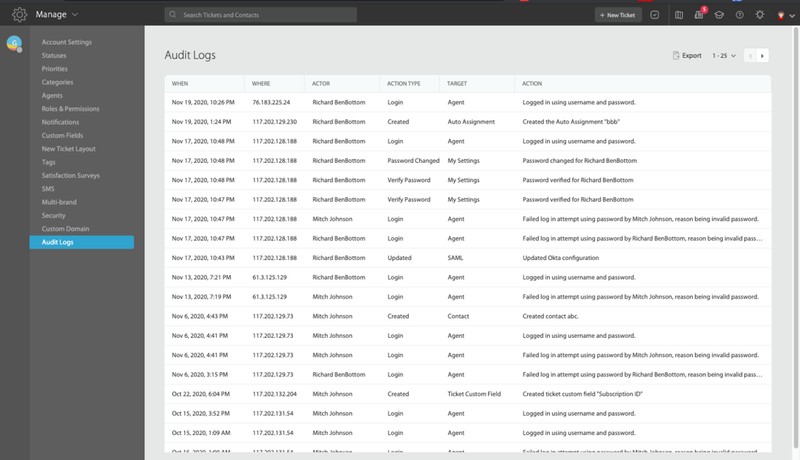
Customers will also be able to export audit logs to their preferred spreadsheet format for further data analysis via business intelligence tools like HappyFox BI etc.
